



AI agents are arriving in every Microsoft 365 tenant, and the questions admins ask first are what they cost to run and what it costs to secure them. In this Workplace Ninjas US special, four of the event’s speakers answer from the field: Jon Towles, founder of Workplace Ninjas US, Intune and AI tool builder Ugur Koc, Microsoft 365 security MVP Ru Campbell, and Spencer Alessi, the pen tester who defends Active Directory against Merill in the event’s AD vs Entra cage match.
Key takeaways
AI agents: cheap to run, not free to secure
Admin agents can run on a laptop. You don’t need Security Compute Units, an E7 licence and Agent 365 just to query Microsoft Graph and reason over the results. Ugur’s answer is a local model that runs on a device with 8 GB of memory. His open-source OpenAdminOS runs agents as readable YAML files, top to bottom, through an MCP server and a local model such as Qwen on Ollama. “You don’t need like 10 SCUs to query your defender portal.”
Review the tools you vibe-code before you share them. Ugur ran an agent-led security review over the new community projects for AwesomeIntune, found enough issues that he sent the authors fixes, and only published once they were merged. Keep API keys and secrets out of your repos, and treat every MCP connection as something to secure.
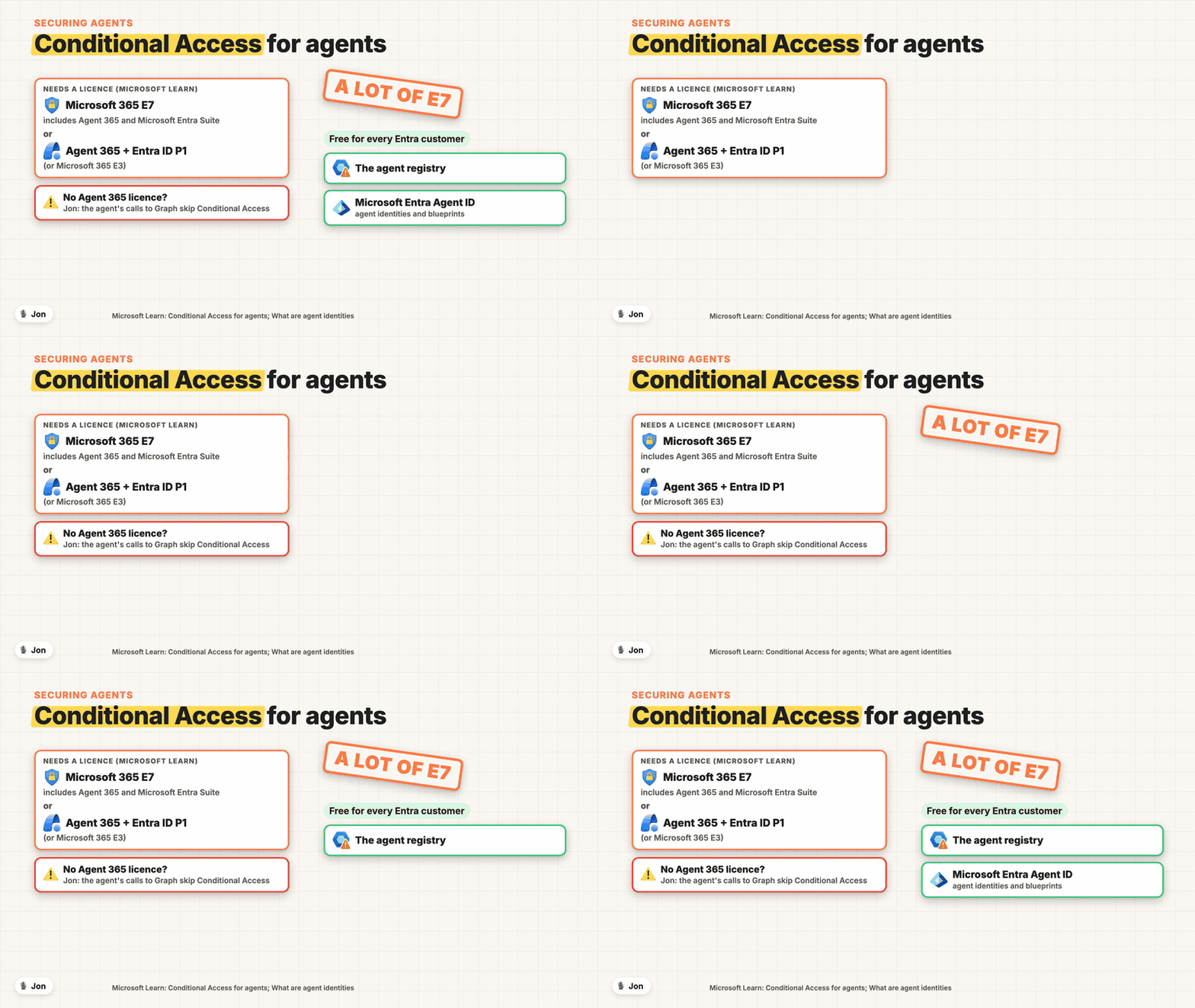
An agent identity is free; securing it isn’t. Microsoft Entra Agent ID, with agent identities and blueprints, is available to every Entra customer. Conditional Access for agents needs Microsoft 365 E7, or Microsoft Agent 365 with at least Entra ID P1 or Microsoft 365 E3. Jon’s warning from the field: when the people using an agent don’t have Agent 365, “it’ll bypass conditional access when it talks to things like graph”. Budget for the licence before the agents go live.
Fix the baseline with one policy
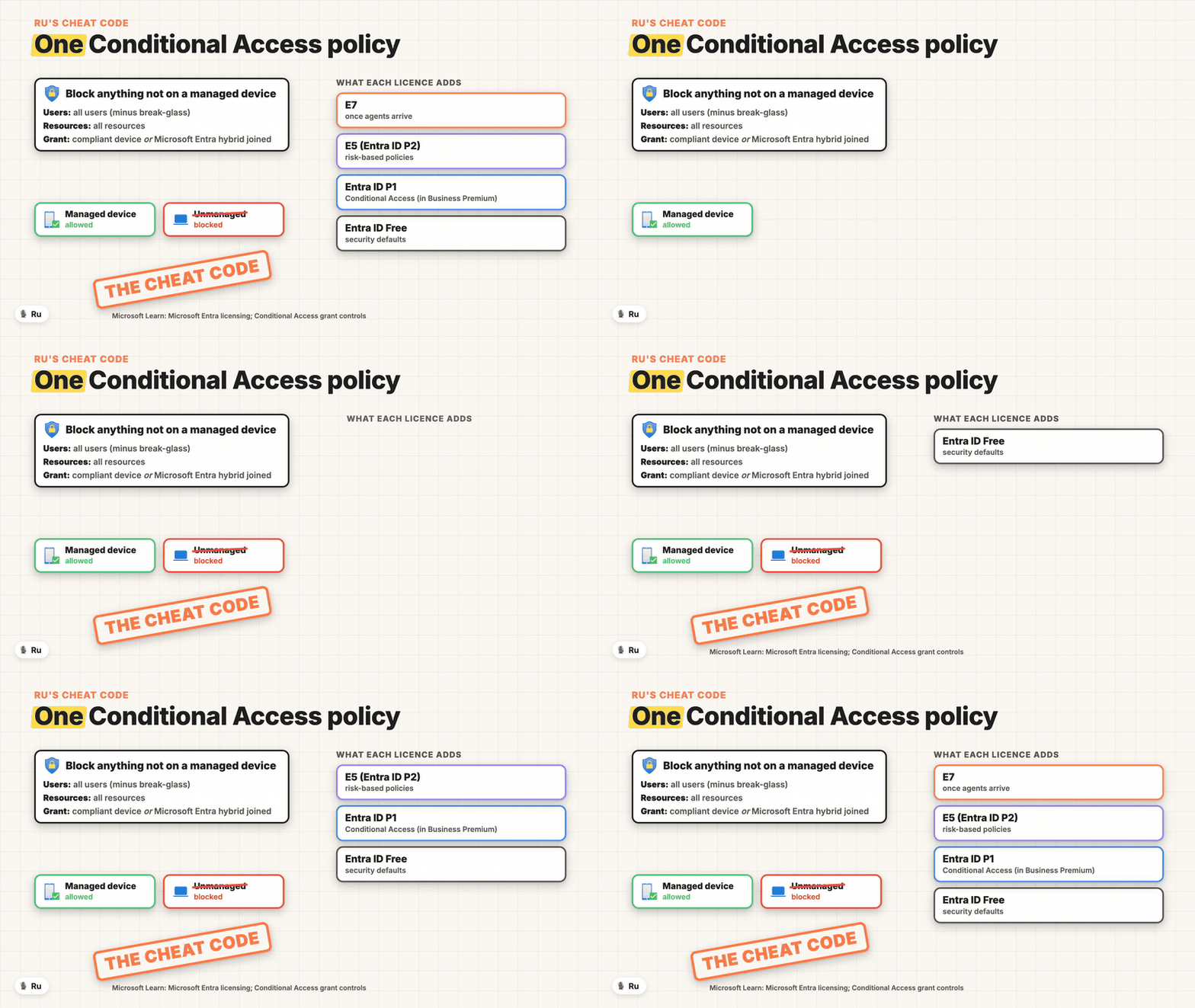
Block everything that isn’t on a managed device. Ru’s opening move when he hardens a new tenant: one Conditional Access policy for all users and all resources that requires a device marked as compliant or Microsoft Entra hybrid joined. “That’s the cheat code to securing Microsoft 365.” Start it in report-only and exclude your break-glass accounts.
Know what each licence adds. Entra ID Free gives you security defaults. Entra ID P1, included in Business Premium, adds Conditional Access and the cheat code. E5 adds risk-based policies with P2. E7 matters once you add agents, because it includes Agent 365.
Cloud-native devices aren’t cloud-native identity
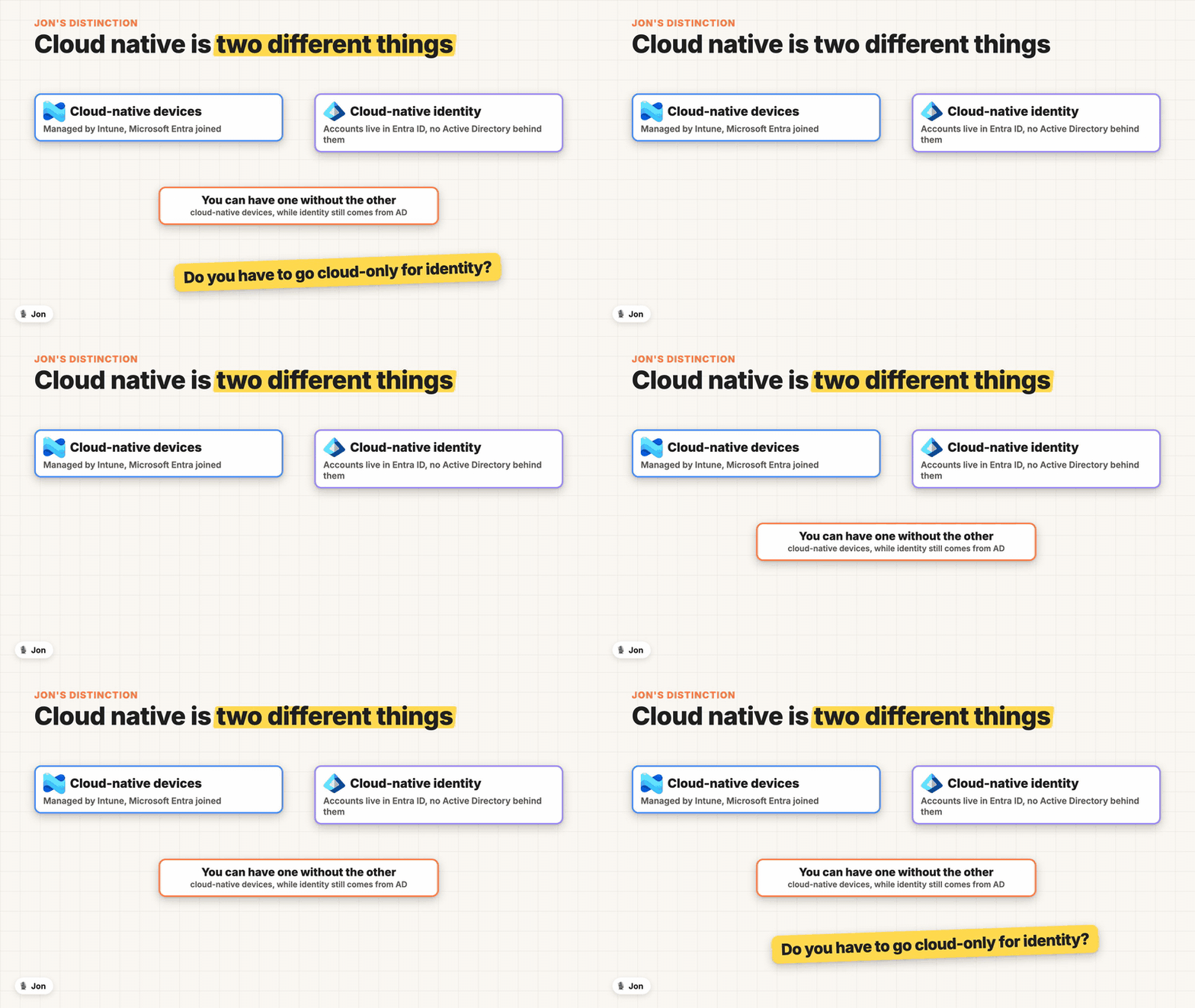
Treat devices and identity as two decisions. Entra joined, Intune-managed devices work with users synced from Active Directory and can still reach file shares and Kerberos apps on-premises. Going cloud-only for identity is a separate, bigger step, and it’s the question behind the AD vs Entra debate.
While AD is still there, keep defending it. Spence, a pen tester who talks mostly about Active Directory, is a fan of Entra and works in it every day. Plenty of tenants will run both for years, so follow the people who know AD as well as the ones who know Entra.
Watch the full conversation for how a Twitter fight became a conference session, the AD vs Entra scorecard, why Jon gives everyone an open bar and a puppy kennel, the 5K for Parkinson’s research, and who will still be running when the apocalypse comes. Explicit language.
Workplace Ninjas US 2027 runs 11-13 January 2027 at The Scott Resort & Spa in Scottsdale, Arizona. Tickets: workplaceninjas.us.
Sponsored by:
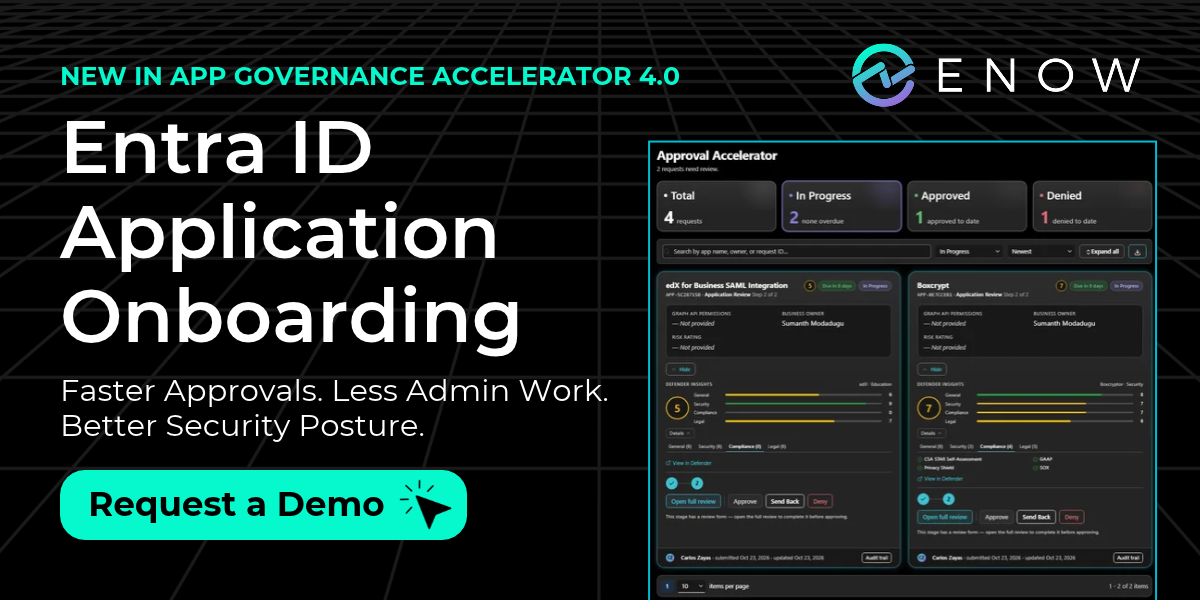
ENow Software Introduces New Entra ID App Onboarding Experience
As user requests for SaaS and AI applications increase, Entra ID and M365 teams face a growing volume of security reviews, added hours of manual research, and bottlenecks.
New! ENow App Governance Accelerator 4.0 introduces App Onboarding, helping teams:
Accelerate app approvals with configurable, multistage workflows.
Evaluate security risks more efficiently with integrated Microsoft Defender for Cloud Apps risk scores.
Reduce manual work with centralized requests, reviews, and approvals.
Improve transparency with a self-service portal for requesters to track status and decisions.
Control app sprawl with an Internal App Catalog of approved applications.
Go beyond Microsoft’s consent and approval capabilities with customizable, structured application governance, from the initial request through ongoing oversight.
Faster Approvals. Less Admin Work. Better Security Posture.
Subscribe with your favorite podcast player or watch on YouTube
About the guests
Jon Towles (”Mobile Jon”) is the founder of Workplace Ninjas US, an end-user computing practitioner with a long background in identity, and a Microsoft MVP.
→ mobile-jon.com | linkedin.com/in/jontowles
Ugur Koc builds free community tools for Microsoft Intune admins, including AwesomeIntune, IntuneBrew and IntuneAssignmentChecker, and is the creator of OpenAdminOS, an open-source desktop app for running local AI agents against Intune, Entra and Defender. He’s based in Hamburg, Germany.
→ ugurkoc.de | linkedin.com/in/ugurkocde
Ru Campbell is a Microsoft 365 security, compliance, identity and management expert and Microsoft MVP, based in Scotland. At Workplace Ninjas US he co-presents a Conditional Access session and hardens an out-of-the-box tenant live in 60 minutes.
→ campbell.scot | linkedin.com/in/rlcam
Spencer Alessi (”TechSpence”) is a Senior Penetration Tester at SecurIT360 and a Microsoft MVP (Security - Identity & Access). A recovering sysadmin turned pen tester, he writes and talks about Active Directory security and builds free tools such as ScriptSentry, ADeleginator and AppLocker Inspector.
→ spenceralessi.com | linkedin.com/in/spenceralessi
Related Links
From the conversation:
Workplace Ninjas US 2027, 11-13 January 2027, Scottsdale, Arizona (mentioned at 02:58 and 24:41) - workplaceninjas.us
Workplace Ninjas US agenda (Ru’s sessions and the AD vs Entra cage match; the agenda loads from the event platform) - https://workplaceninjas.us/agenda/
AwesomeIntune: free Intune community tools (mentioned at 05:43) - awesomeintune.com
OpenAdminOS: local-first AI agents for IT administration (mentioned at 07:03) - openadminos.com
OpenAdminOS on GitHub - https://github.com/OpenAdminOS/OpenAdminOS
Ollama: run models locally (mentioned at 07:12) - ollama.com
Qwen models (mentioned at 07:13) - qwen.ai
Spencer Alessi’s site and Ethical Threat Insights (mentioned at 16:39) - spenceralessi.com
AI agents and licensing:
Microsoft Security Copilot Security Compute Units and capacity (mentioned at 09:09) - https://learn.microsoft.com/en-us/copilot/security/security-compute-units-capacity
Conditional Access for agent identities, licensing requirements (mentioned at 09:39) - https://learn.microsoft.com/en-us/entra/identity/conditional-access/agent-id
What are agent identities? Microsoft Entra Agent ID (mentioned at 10:08) - https://learn.microsoft.com/en-us/entra/agent-id/what-are-agent-identities
Overview of Microsoft Agent 365 - https://learn.microsoft.com/en-us/microsoft-agent-365/overview
Conditional Access baseline:
Require device compliance with Conditional Access (mentioned at 11:46) - https://learn.microsoft.com/en-us/entra/identity/conditional-access/policy-all-users-device-compliance
Conditional Access: Grant controls - https://learn.microsoft.com/en-us/entra/identity/conditional-access/concept-conditional-access-grant
Conditional Access policy templates - https://learn.microsoft.com/en-us/entra/identity/conditional-access/concept-conditional-access-policy-common
Microsoft Entra licensing (mentioned at 11:58) - https://learn.microsoft.com/en-us/entra/fundamentals/licensing
Security defaults in Microsoft Entra ID (mentioned at 12:25) - https://learn.microsoft.com/en-us/entra/fundamentals/security-defaults
Devices, identity and naming:
Microsoft Entra joined vs hybrid joined in cloud-native endpoints (mentioned at 14:55) - https://learn.microsoft.com/en-us/intune/solutions/cloud-native-endpoints/entra-join-types
How SSO to on-premises resources works on Microsoft Entra joined devices - https://learn.microsoft.com/en-us/entra/identity/devices/device-sso-to-on-premises-resources
New name for Azure Active Directory (mentioned at 17:45) - https://learn.microsoft.com/en-us/entra/fundamentals/new-name
Related Entra.Chat Episodes
How Microsoft Is Securing AI Agents in Entra - Conditional Access, Zero Trust & the “Block” Debate - https://entra.news/p/how-microsoft-is-securing-ai-agents
Microsoft Security Architect: Active Directory Is 10x Harder to Defend Than Entra - https://entra.news/p/microsoft-security-architect-active
Entra Agent Registry: The Corporate Yellow Pages for AI Agents - https://entra.news/p/entra-agent-registry-the-corporate
Chapters
00:00 Explicit-language warning
00:07 Cold open
01:17 Intro
01:35 Workplace Ninjas US edition
01:56 Meet the cast
02:42 Why Workplace Ninjas US
03:29 AD vs Entra: the cage match
04:06 Free AI agents on your laptop
05:35 Securing vibe-coded admin tools
08:13 OpenAdmin: YAML agents
09:34 Securing agents costs a licence
10:45 The one-policy cheat code
12:29 Sponsor: ENow Software
13:32 How a Twitter fight became the cage match
14:37 Cloud-native devices vs cloud-native identity
16:30 The AD corner: Spencer Alessi
17:40 What’s an Entra?
19:10 Open bar, puppies and mentoring
20:13 Running for Parkinson’s
22:44 Cockroaches and Active Directory
24:17 Thanks
Podcast Apps
Entra.Chat - entra.chat
Apple Podcast - https://entra.chat/apple
YouTube - https://entra.chat/youtube
Spotify - https://entra.chat/spotify
Overcast - https://entra.chat/overcast
Pocketcast - https://entra.chat/pocketcast
Others - https://entra.chat/rss
Merill’s socials
YouTube - youtube.com/@merillx
LinkedIn - linkedin.com/in/merill
Twitter - twitter.com/merill
TikTok - tiktok.com/@merillf
Bluesky - bsky.app/profile/merill.net
Mastodon - infosec.exchange/@merill
Threads - threads.net/@merillf
GitHub - github.com/merill


